Quick answer: Google Ads remarketing needs at least 100 active, eligible users in an audience before it will serve. Eligible is the key word. If your site has no consent banner sending Google's consent signals, visitors may never count toward your Google Ads audience, even if GA4 shows hundreds of them. Fix consent mode first, keep your audience structure simple, avoid stacking exclusions, and check sizes in Google Ads Audience Manager, not GA4.
I recently built a Display retargeting campaign for a small safari and lodging business. The site got roughly 800 visitors a month. GA4 showed plenty of people in the audiences. Google Ads showed almost none of them.
Every audience said the same thing: "Too small to serve." Most showed a Display size of 0.
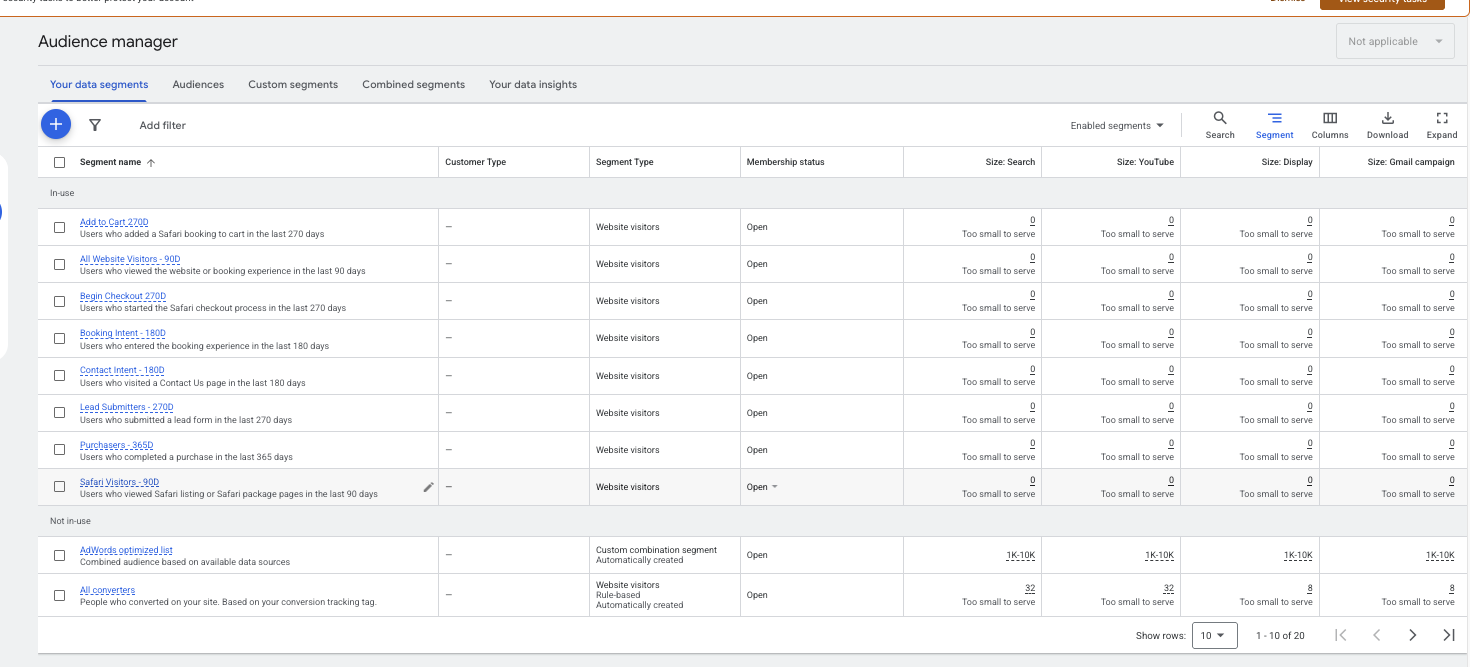
This post walks through what caused it, what fixed it, and what I'd do differently. It's also honest about where things stand, because remarketing on a small site takes longer than most guides admit.
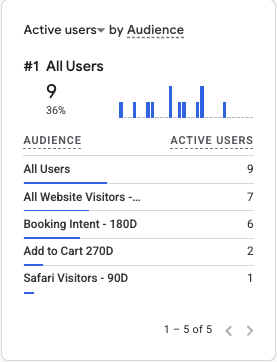
Why GA4 audience size isn't the same as Google Ads audience size
This was the biggest lesson. A GA4 audience with hundreds of users is not a Google Ads audience with hundreds of users.
To count toward a Google Ads remarketing list, a visitor has to:
- Be tracked by your tags in the first place
- Have consent signals that allow personalized advertising
- Be matched and processed into the Google Ads audience
- Be active within the audience's membership window
Google lowered the minimum audience size to 100 active users across Search, Display and YouTube in December 2025 (Search Engine Land, 2025). That's good news for small businesses. But you still need 100 users who meet every condition above.
Where to check: Google Ads, then Tools, then Shared library, then Audience manager, then Your data segments. Look at the size column for the network you're running on. For a Display campaign, that's the Display size.
Problem 1: No consent signals
When I checked the site in Google Tag Assistant, the consent section said "Consent not configured" and "Default consent state has not been set yet." There was no cookie consent tool on the site at all.
This matters because of how Google's consent mode works. If the ad_personalization signal is denied or not set, remarketing in Google Ads receives no data. Both ad_user_data and ad_personalization need to be granted for personalized advertising to work (Google Ads Help).
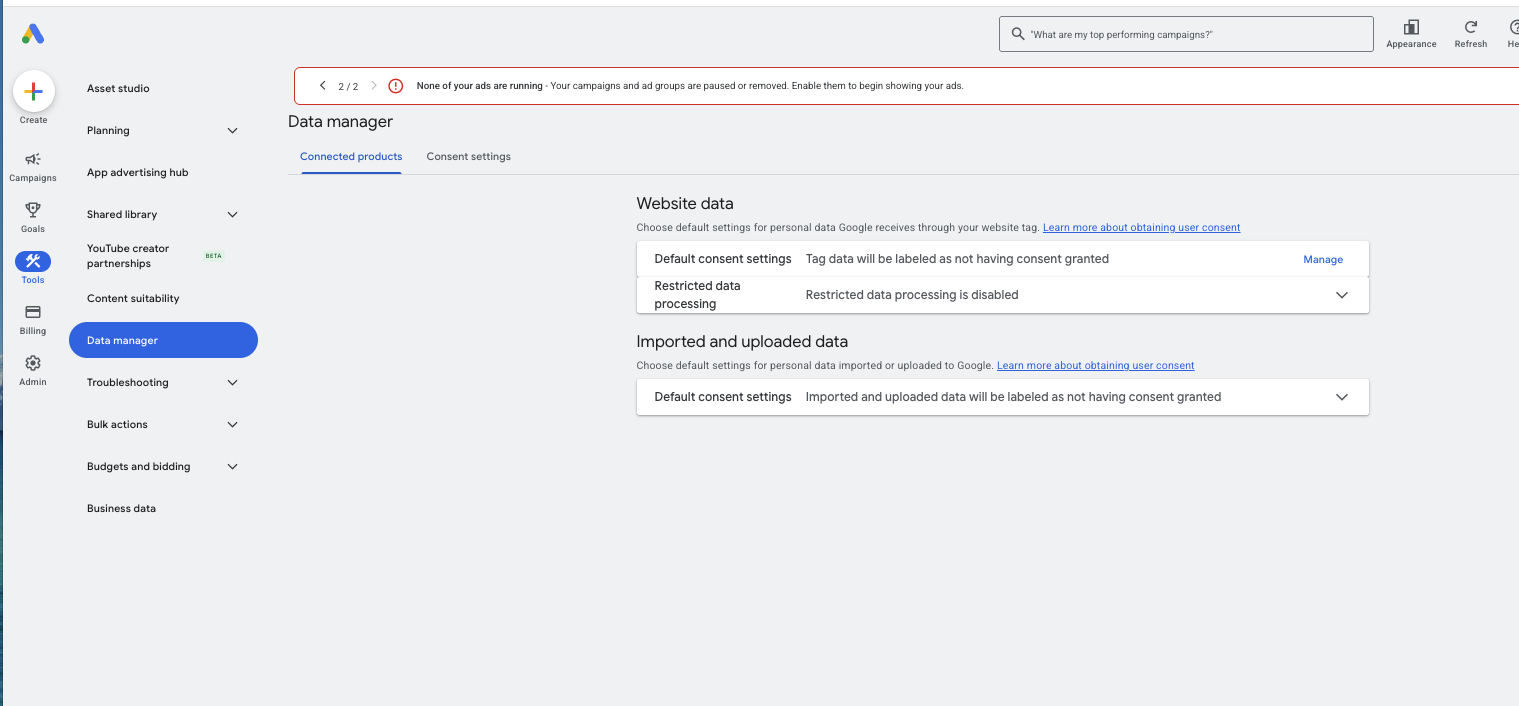
The site served travelers worldwide, including Europe, so a consent banner was needed anyway.
What I set up
I installed a consent management tool (CookieYes, on its free plan) with Google Consent Mode turned on:
| Setting | Value |
|---|---|
| Regulation | GDPR |
| Target location | Worldwide |
| Default: analytics, advertising, functional | Denied until the visitor accepts |
| Default: necessary | Granted |
| Wait for update | 2,000 ms |
| Pass ad click information through URLs | On |
| Redact ads data | On |
How to confirm it actually works
A banner showing up on screen doesn't mean consent mode works. Check the actual signals in Google Tag Assistant:
- Before clicking anything:
ad_storage,analytics_storage,ad_user_dataandad_personalizationshould all be Denied. - After "Accept all": all four should switch to Granted.
- After "Reject all": all four should stay Denied.
That's exactly what we saw after setup. Tag Assistant also showed a warning that "A Consent Management Platform (CMP) may be blocking tags." That's expected when consent is working and doesn't mean anything is broken.
The result: audience sizes started populating after consent mode went live. The broad All Website Visitors audience grew to about 120 on Display, and the Booking Intent audience reached about 100.
One thing to know: past traffic doesn't become remarketable after the fact. Audiences rebuild from the day consent is fixed, so expect a waiting period before they're usable.
Problem 2: Too many audiences, too much slicing
I originally built a nicely tiered structure in GA4 (Admin, then Data display, then Audiences):
| Audience | Window | Purpose |
|---|---|---|
| All Website Visitors | 90 days | Broad retargeting |
| Safari Visitors | 90 days | Mid intent |
| Booking Intent | 180 days | Visited booking pages |
| Contact Intent | 180 days | Visited the contact page |
| Add to Cart | 270 days | Added a safari package |
| Begin Checkout | 270 days | Started checkout |
| Lead Submitters | 270 days | Exclude: already contacted |
| Purchasers | 365 days | Exclude: already booked |
And three ad groups: high-intent visitors, safari visitors, and all visitors. Each broader ad group excluded the higher-intent audiences so the same person wouldn't see two sets of ads.
On a bigger site, that's good practice. On an 800-visitor site, it backfired. The high-intent audiences only had about 8 eligible users each, so they couldn't serve. And because the broad ad group excluded them, those people couldn't see ads anywhere. I'd put the most valuable visitors into audiences too small to reach them.
The fix: I cut the broad All Website Visitors ad group's exclusions down to just two: people who'd already submitted a lead and people who'd already booked. Everyone else stays reachable through the broad audience until the smaller ones grow.
The rule for small sites: don't move people into a smaller, "smarter" audience if that audience can't serve yet.
Problem 3: Bid strategy that barely enters auctions
The campaign started on Maximize conversions. With tiny audiences and little conversion history, it barely spent. I also briefly looked at Viewable CPM, where one ad group screen showed a max CPM of $0.01, far too low to win any auction.
I switched the campaign to Maximize clicks with no bid cap to get delivery started. The plan is to move back to conversion-based bidding once there's traffic and conversion data to work with.
I also turned Optimized targeting off. It lets Google expand beyond your audiences to people it thinks are similar. That can be useful for prospecting, but it turns a remarketing campaign into something else.
Bonus: Use the events your booking tool already sends
To build the Add to Cart and Begin Checkout audiences, I first planned to track clicks on "Book now" buttons. Then I checked Google Tag Manager's Preview mode and found the third-party booking widget was already sending proper ecommerce events: view_item, add_to_cart and begin_checkout, complete with price, currency and product details.
So instead of fragile button-click tracking, I forwarded those events to GA4 with three simple GTM tags:
Tag type: Google Analytics: GA4 Event
Event name: add_to_cart
Parameters:
  currency = {{DLV - ecommerce.currency}}
  value    = {{DLV - ecommerce.value}}
  items    = {{DLV - ecommerce.items}}
Trigger: Custom Event = add_to_cart
Begin checkout used the same setup with its own event name. For purchases, I added a GA4 purchase tag on the existing purchase trigger, so GA4 and Google Ads both receive the same booking data. The existing Google Ads purchase tag was left untouched.
Tip: before building custom click tracking, open GTM Preview, go through your booking or checkout flow, and see what events already show up. You may already have what you need.
Other things that looked like problems but weren't
When a campaign won't deliver, it's tempting to change everything at once. I checked each of these one at a time:
- Billing: Diagnostics showed "Eligible (Misconfigured)" and "Payment method can't be charged." It turned out to be a declined backup card. The primary card was fine and payments were going through. Read billing warnings closely before assuming they're the blocker.
- Location targeting: Set to "Presence," meaning people in or regularly in the target countries, not people who are just interested in them.
- Languages: Matched to the markets: English, German, French, Spanish, Japanese, Dutch and Korean.
- Ads and approvals: All approved.
A cost to plan for: consent tool limits
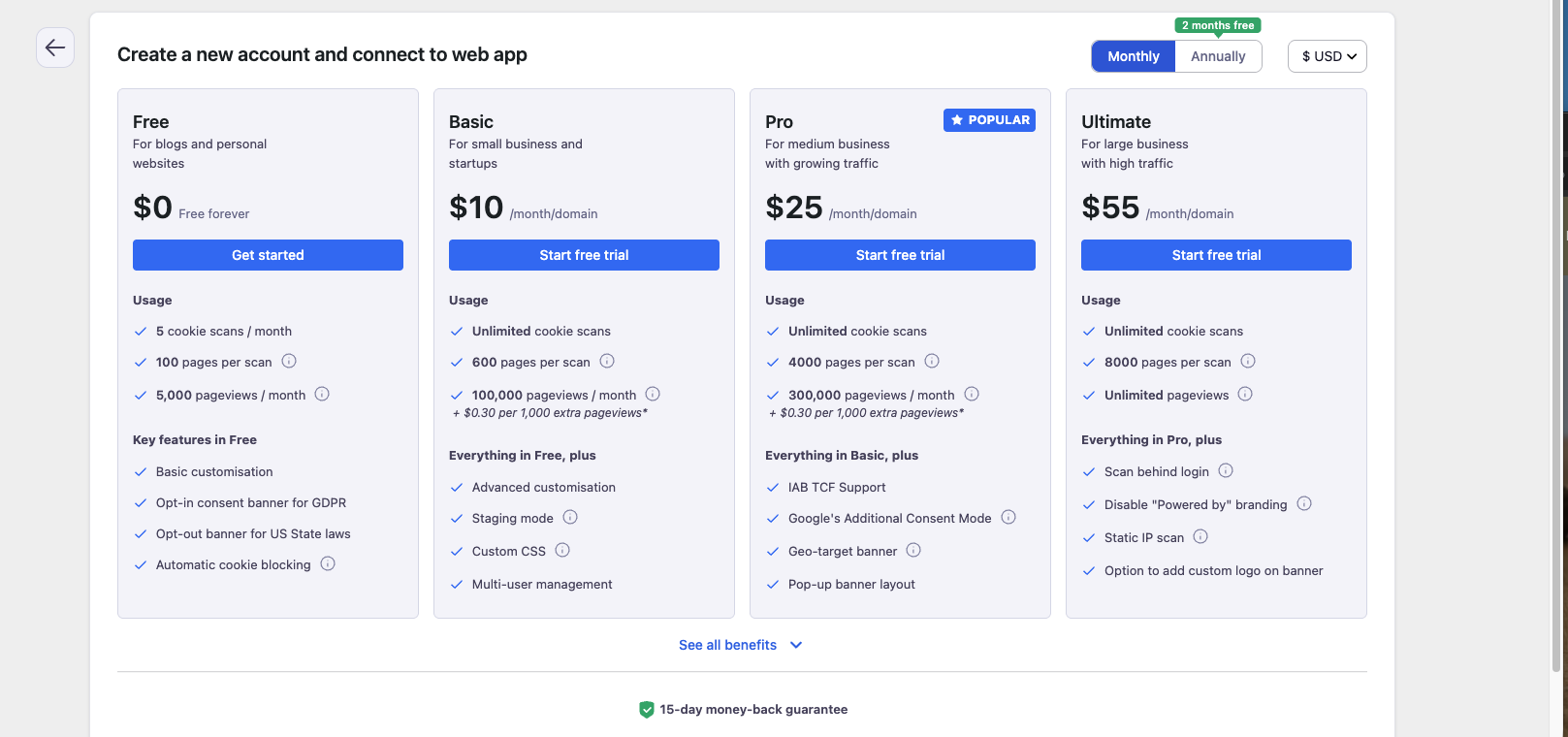
The free consent plan we used covered 5,000 pageviews a month. The site hit 80% of that quickly, and once the limit is reached, the banner stops showing until the next month or an upgrade.
Before paying to upgrade, check where the traffic is coming from. Here, a chunk of it looked like low-quality or bot traffic that had nothing to do with real travelers. Filtering that out can be cheaper than paying for pageviews nobody needed.
Where things stand
Being honest: at the latest check, the campaign still hadn't delivered meaningfully. The broad audiences crossed the serving threshold, the structure is simpler, and bidding is set up to get delivery going. But on a small site, remarketing builds slowly.
That's the real lesson. If your site gets under a few thousand visitors a month, remarketing works best as a simple, patient layer, not an elaborate funnel. Start with one broad audience minus leads and buyers, get it delivering, and add segments as they grow past 100 eligible users.
Remarketing checklist for small sites
- Google tag and GA4 load on every page, including booking and translated pages
- Consent banner with Google Consent Mode set up and tested in Tag Assistant
- Consent signals switch from Denied to Granted on "Accept all"
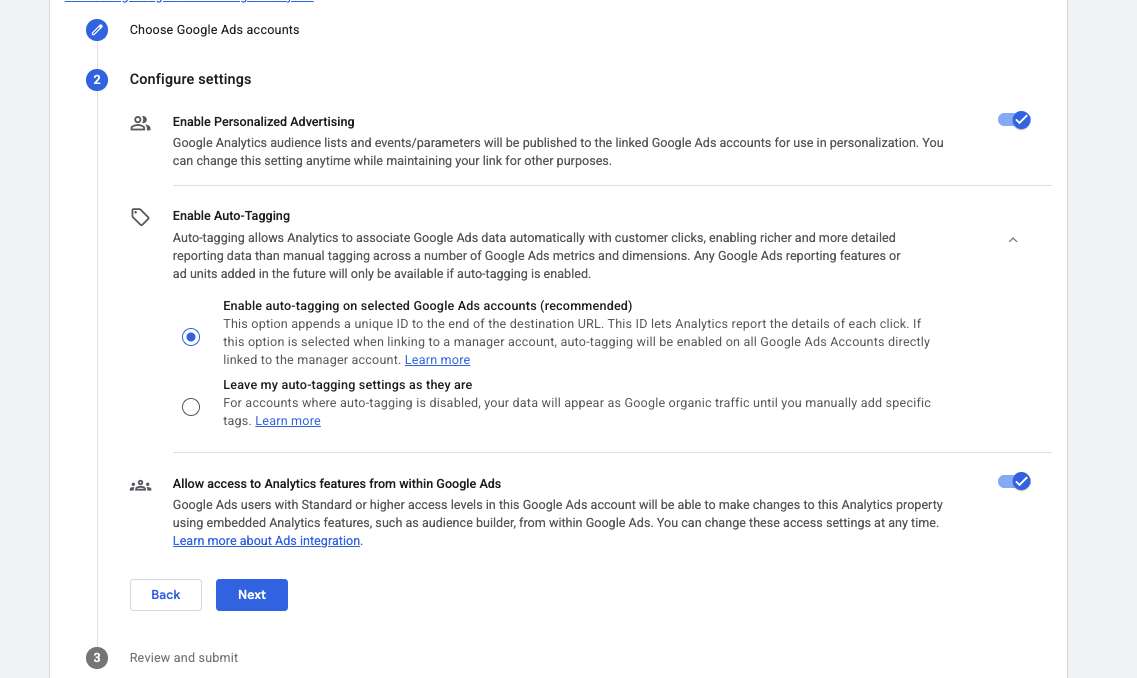
- GA4 linked to Google Ads with personalized advertising enabled
- Audience sizes checked in Google Ads Audience Manager, not just GA4
- Each targeted audience has at least 100 eligible users on the network you're using
- Exclusions limited to people you truly don't want to reach, like recent buyers
- Optimized targeting off for pure remarketing
- Bid strategy that can actually win auctions with your data level
- Booking or checkout events checked in GTM Preview before building custom tracking
Remarketing set up but not spending? That's usually a tracking or consent problem, not an ad problem. I help small businesses sort out conversion tracking and pixel issues. Start a conversation.
FAQ
How many users do you need for Google Ads remarketing?
At least 100 active users in the audience on the network you're targeting, such as Display or Search. Google lowered the minimum to 100 in December 2025.
Why does my GA4 audience show users but Google Ads says "too small to serve"?
GA4 counts everyone who matches the audience rules. Google Ads only counts users eligible for personalized advertising, which depends on consent signals like ad_personalization and ad_user_data. If consent isn't set up, few or none of your GA4 users may qualify.
Do I need consent mode for Google Ads remarketing?
If you have visitors from regions with consent requirements, like the EU or UK, yes. If the ad personalization signal is denied or not set, remarketing receives no data from those users.
How much traffic do you need for Google Ads remarketing?
There's no official traffic minimum, but small sites fill audiences slowly. On a site with around 800 visitors a month, the broad audience eventually passed 100 eligible users, while narrow high-intent audiences stayed under 10. The smaller the audience, the longer it takes.
Should I use Maximize conversions for a remarketing campaign?
Not at first if your audiences are small and you have little conversion history. It may barely enter auctions. Maximize clicks can help establish delivery, then you can switch once there's data.